Microsoft Designer Image to Vector & Print-Ready Artwork
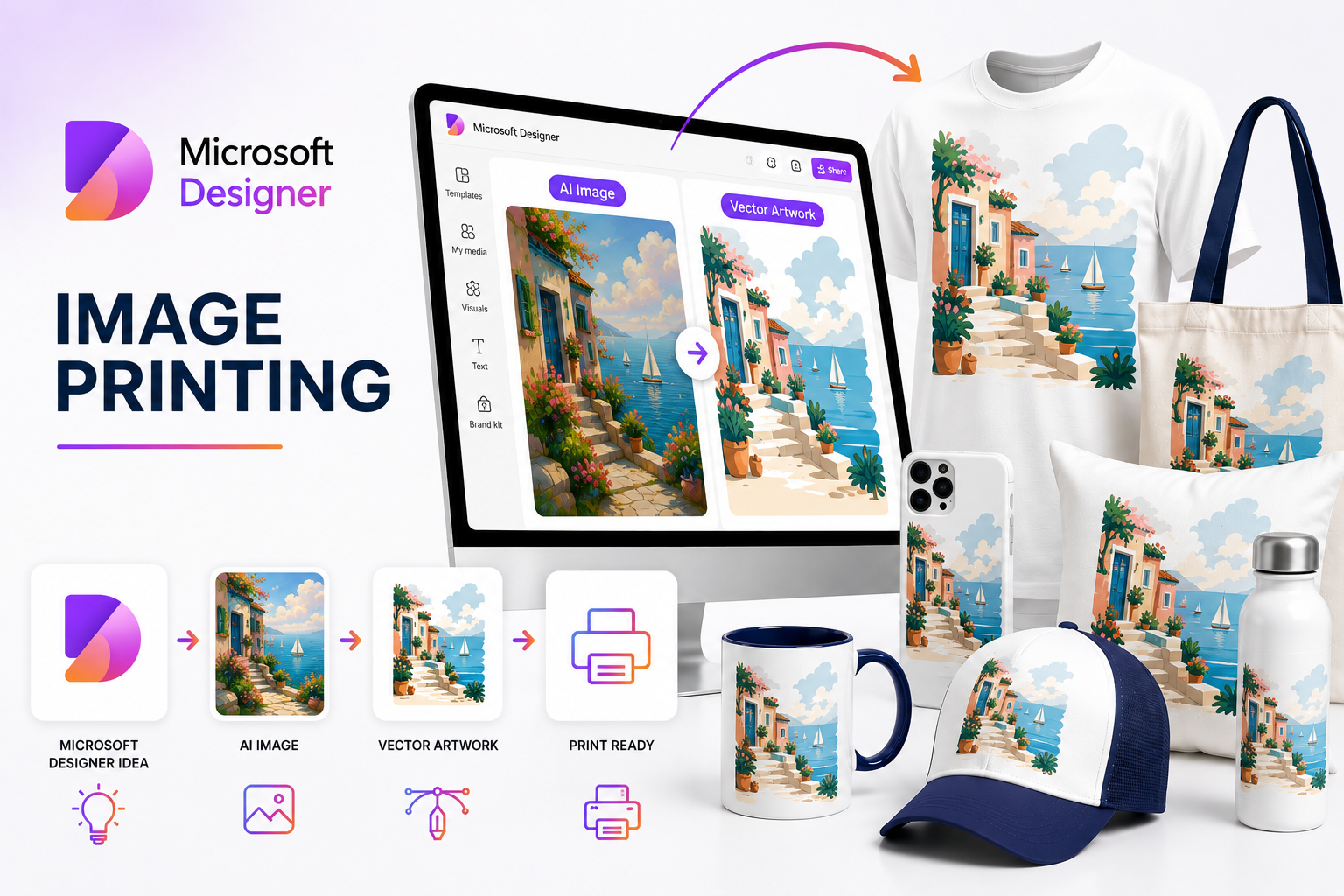
Microsoft Designer makes it easy for businesses, marketers, schools and Microsoft 365 users to generate graphics, edit images and build promotional designs using AI. Whether your artwork was created directly in Microsoft Designer, generated through Copilot in Word or PowerPoint, or edited using Designer's AI tools, RayStar Labs prepares those files for professional commercial printing.
From brochures, event graphics and presentations to apparel, packaging, signage, promotional products and large-format displays, we transform Microsoft Designer concepts into production-ready artwork suitable for real-world manufacturing and printing.

Why Businesses Choose Microsoft Designer
Microsoft Designer is particularly attractive to businesses already working in the Microsoft ecosystem. Instead of opening dedicated professional graphics software, a marketing manager can generate an image from a text prompt, create a social graphic, remove a background or develop a presentation visual inside familiar Microsoft applications. Designer is also integrated into Microsoft Word and PowerPoint, where users can generate custom imagery from descriptions without leaving their documents or presentations. That convenience makes Designer especially useful for corporate marketing departments, sales teams, schools, nonprofits and small businesses.
The Challenge
The production challenge begins when one of those digital assets needs to become a printed product. RayStar Labs bridges the gap between AI-generated artwork and commercial production.
Microsoft 365 to Commercial Printing
A marketing team may create a campaign graphic in PowerPoint.
A sales department may generate an illustration for a presentation.
A school may create event artwork.
A business owner may design a flyer or product promotion in Designer.
Those assets often look perfectly acceptable on-screen but may not meet the technical
requirements of a commercial printer.
RayStar Labs helps bridge that final production stage by converting Microsoft Designer generated artwork into professionally prepared print-ready files suitable for commercial production.
A very common workflow now looks like this:

We Understand the Microsoft Designer Workflow
Microsoft Designer combines several AI creation and editing tools inside one platform.
Microsoft specifically documents AI-assisted image editing, background removal and Generative Erase as part of the Designer workflow. That means the file reaching a printer may already have been through several AI editing stages.
Customers may use Designer to:
Generate Images
Design Concepts
Remove Backgrounds
Blur Backgrounds
Upscale Images
Generate & Rewrite Text
Generative Erase
Templates & Typography
We review the final result rather than assuming that an AI-edited image is automatically production ready.
What We Can Do With Your Microsoft Designer Images
We transform AI-generated artwork into premimum production-ready files for commercial use.
Improve Designer-generated Images
Correct typography and layout
Prepare transparent backgrounds
Repair AI-generated image imperfections
Increase Image Resolution for Print
Recreate Raster Logos as Editable Vectors
Convert Artwork for Commercial Colour Workflows
Add Proper Bleed & Production Dimensions
Prepare Artwork for Apparel, Signage, Packaging & Promotional Products
Deliver Editable Source Files
Designer Creates the Content.
We Prepare It for Production.
Microsoft Designer is excellent for rapidly creating professional-looking business graphics.
Commercial printing asks different questions:
Those are prepress and artwork-production issues, not
design-generation issues.
Our team resolves them before production begins.
Popular Microsoft Designer Projects
From apparel and packaging to boats and custom artwork, we turn AI concepts into professional production files.
Corporate Marketing Materials
Marketing teams frequently create flyers, brochures, sales graphics and campaign visuals inside Microsoft's ecosystem. We prepare those files for reliable commercial printing.
PowerPoint Graphics
Designer-generated illustrations used in PowerPoint presentations can be adapted for conference displays, posters, printed sales presentations and trade show graphics.
Event & Educational Graphics
Schools, universities, nonprofits and businesses often use Designer for invitations, event posters, certificates and educational materials before sending them to commercial printers.
Promotional Products
Marketing departments can convert Designer graphics into artwork suitable for drinkware, bags, notebooks, apparel, stickers and corporate merchandise.
Apparel Graphics
Designer-created artwork can be prepared for DTF, DTG, Screen Printing, Sublimation and Embroidery.
Signs & Exhibition Displays
Graphics originally created for screens or presentations can be rebuilt for banners, booth graphics, retail signs and large-format displays.
A Problem Corporate Print Providers Know Very Well
A customer sends a PowerPoint file and says: "This is exactly how I want the banner to look."
The artwork may contain a low-resolution image copied from Designer, a logo pulled from the company's website, several Office fonts and a background designed for a 16:9 presentation slide.
Now that same artwork needs to become a 10-foot trade show graphic.
This is where production knowledge matters. We can rebuild the layout, recreate logos as vectors, replace low-resolution elements, correct colour and prepare the artwork at the appropriate scale.
Generative Erase and AI Editing
Microsoft Designer includes Generative Erase, which lets users select unwanted objects or areas and have AI reconstruct the surrounding image. Microsoft supports both automatic object selection and manually brushed masks for this workflow.
It's extremely useful for creative editing.
But AI reconstruction can occasionally introduce subtle texture changes, repeated patterns or soft areas that become much more visible when an image is enlarged for print. We inspect those edited regions and manually repair them where necessary before production.
Microsoft Designer and OneDrive
Artwork uploaded to Designer can be stored through the user's Microsoft cloud environment, including OneDrive, and Designer projects count toward Microsoft storage.
For corporate users, this makes Designer convenient for moving visual assets between Microsoft applications.
When the approved artwork reaches RayStar Labs, we can work from the exported file and prepare the professional production formats your printer actually requires.
Microsoft Designer for Corporate Teams
Designer is particularly relevant to businesses because employees who aren't professional graphic designers can still produce useful visual concepts.
Marketing managers, sales representatives, HR teams and administrative staff can create graphics themselves instead of waiting for a designer for every small project.
That speeds up concept development enormously.
RayStar Labs can then act as the professional finishing layer when the project reaches commercial production.
Printing Methods
Microsoft Designer artwork can be professionally prepared for virtually every commercial printing process, including:
The artwork is always prepared according to its final production method rather than simply converting the original export into another file type.
What You'll Receive
Professional artwork prepared for your business and production workflow.
Production-Ready Artwork
Prepared specifically for your chosen printing process.
Editable Source Files
AI, EPS, SVG, PDF, PSD, PNG, JPG and other required formats.
Human Quality Control
Every project is manually reviewed before delivery.
Commercial Production Quality
Artwork suitable for businesses, print shops, marketing agencies and manufacturers.
Why Choose RayStar Labs?
Microsoft Designer can generate outstanding creative concepts within seconds, but professional printing requires far more than beautiful imagery.
RayStar Labs combines the speed and creativity of Microsoft Designer with experienced human designers who understand commercial artwork production. Every project is carefully refined, technically prepared and optimized for the intended printing method.
Whether you're creating a single marketing graphic or processing hundreds of customer files each month, our team helps transform Microsoft Designer-generated concepts into reliable commercial artwork.
Frequently Asked Questions
Everything you need to know about preparing Microsoft Designer-generated artwork for professional printing and production.
Created It with Microsoft Designer? We'll Make It Print Ready.
Send us your Microsoft Designer artwork, PowerPoint graphic or AI-generated image and tell us what you're producing. We'll handle the professional artwork preparation.