Canva Image to Vector & Print-Ready Artwork
Canva has become one of the world's most widely used design platforms, helping businesses, marketers and creators produce everything from social media graphics and presentations to logos, packaging, apparel artwork and printed marketing materials.
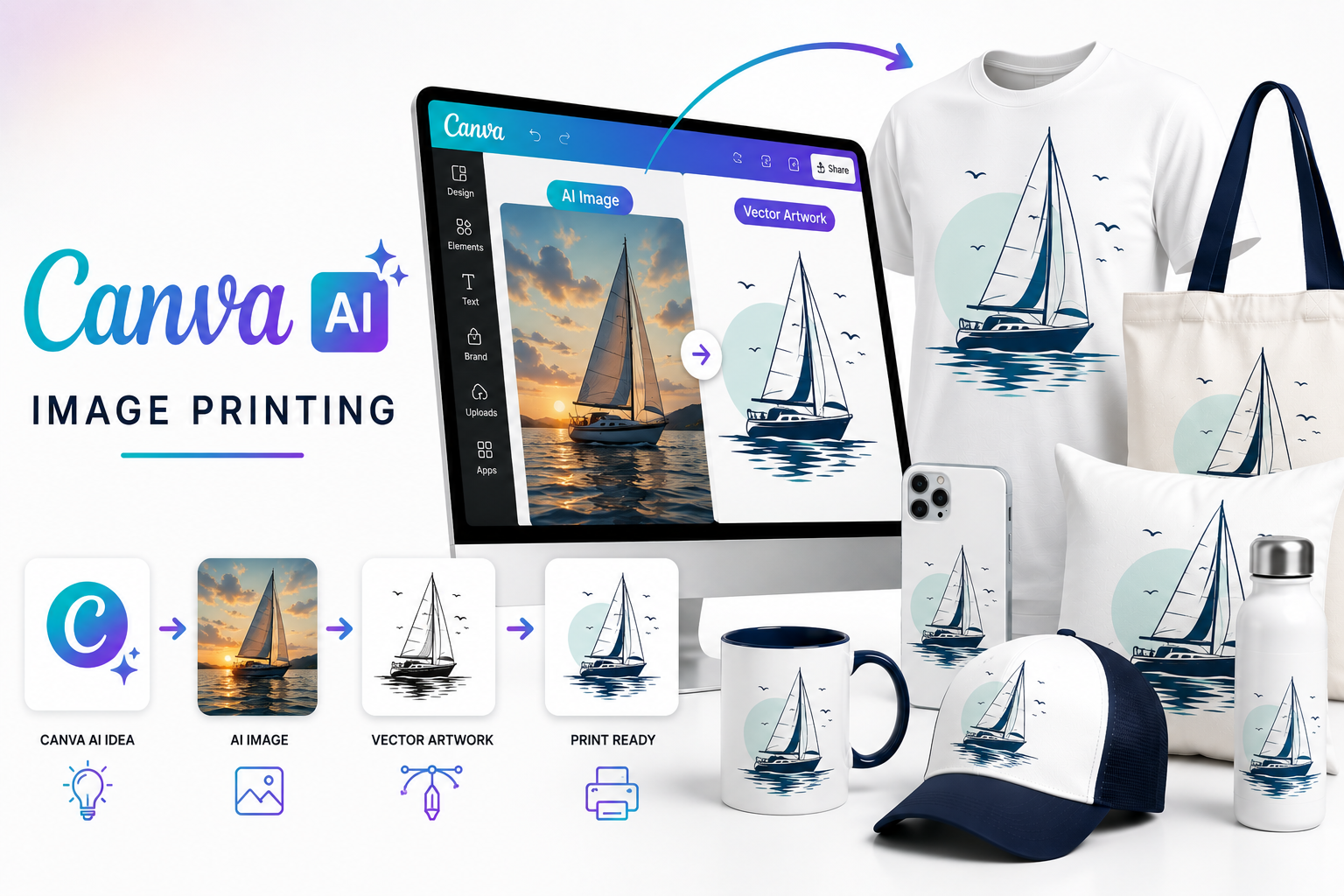
With Canva AI, Dream Lab, Magic Media, Magic Edit, Magic Expand and newer tools such as Magic Layers, users can now generate and refine artwork directly inside Canva rather than starting with a blank design. RayStar Labs takes those Canva AI concepts and prepares them for professional commercial printing, manufacturing and branding.
Whether your project is a T-shirt graphic, business flyer, packaging concept, sign, product label, boat graphic or promotional product, we prepare the final artwork according to the actual technical requirements of production.

Why So Many Businesses Use Canva AI
Canva's strength is that AI generation sits inside a complete design environment.
A small business owner can generate an image, add a logo, change typography, apply Brand Kit assets, resize the design for several formats and collaborate with a team without moving between multiple applications.
That convenience explains why Canva is particularly common among businesses that don't maintain a traditional professional design department.
The problem usually appears at the next stage.
When the Canva design reaches the printer.
A design that looks perfect inside Canva may still contain raster logos, incorrect document dimensions, insufficient bleed, unsuitable resolution, RGB colours or elements that need to be rebuilt for the intended production process.
That's where RayStar Labs takes over. We transform Canva and Canva AI designs into professionally prepared artwork suitable for commercial printing.
We Understand the Canva AI Workflow
Canva AI is no longer just one image generator.
Canva users may create artwork through several different tools, including:
Canva AI
Dream Lab
Magic Media
Magic Edit
Magic Expand
Background Remover
Image Upscaler
Magic Layers
Brand Kit
Also, Canva's integrated DALL-E and Google image-generation apps. Dream Lab, for example, uses Leonardo.AI technology and supports style references and different visual treatments, while Magic Media can generate images, graphics and video directly from prompts. Our team understands that a Canva project may therefore arrive as anything from a simple exported PNG to a complex branded composition containing AI images, text, logos and multiple design elements.
Canva AI Creates the Design.
We Make It Production Ready.
Canva is exceptionally good at helping non-designers create professional-looking layouts quickly. Commercial printers, however, work with entirely different production requirements.
Correct Physical Size
Is the artwork created at the correct dimensions for the final printed product?
Sufficient Bleed
Does the artwork include the required bleed?
Vector Logos
Are logos and important graphic elements actually vector-based and scalable?
Image Resolution
Is the image resolution sufficient for the intended print size and viewing distance? Will transparent objects reproduce correctly?
Print-Safe Colours
Will the colours reproduce correctly when prepared for CMYK or the required printing process?
Production Compatibility
Is the design suitable for DTF, DTG, Screen Printing, Embroidery or the intended manufacturing method? Can the customer's printer edit the final artwork?
RayStar Labs resolves those production issues while preserving the customer's original Canva design.
What We Can Do With Your Canva AI Artwork
We transform Canva AI designs into professionally prepared artwork suitable for commercial printing and manufacturing.
Refine Canva AI-Generated Images
Rebuild Low-Resolution Graphics
Recreate Logos as Editable Vectors
Correct Typography and Layout
Prepare Transparent Artwork
Convert RGB Artwork for Commercial Print
Add Proper Bleed and Production Dimensions
Prepare Apparel Graphics for DTF, DTG and Screen Printing
Prepare Packaging, Signage and Promotional Artwork
Deliver professional source and production files
Popular Canva AI Projects
Flyers & Marketing Materials
Canva is widely used for brochures, flyers, menus, advertisements and promotional graphics. We prepare those designs for reliable commercial digital and offset printing.
Apparel Graphics
Small clothing brands and print-on-demand sellers frequently create T-shirt graphics in Canva. We prepare them for DTF, DTG, Screen Printing, Sublimation and Embroidery.
Logos & Branding
Canva makes it easy to create quick branding concepts. We manually recreate suitable logo artwork as clean AI, EPS and SVG vectors for professional long-term use.
Packaging & Labels
Product businesses often develop initial packaging or label layouts in Canva. We convert those concepts into accurate production artwork with proper dimensions, bleed and printer-ready files.
Signage & Large Format
Canva designs intended for posters or social media frequently get repurposed for banners, shop signs and exhibition displays. We rebuild and scale the artwork appropriately for large-format production.
Promotional Products
Canva graphics can be adapted for mugs, bags, drinkware, stickers, notebooks and other branded merchandise with production-specific preparation.
Magic Layers Changes the Canva Workflow
One particularly interesting recent Canva development is Magic Layers.
AI-generated imagery is traditionally delivered as a flat image. That becomes a problem when a designer needs to change one word, reposition an object or replace a background.
Canva's Magic Layers can break a flat AI-generated image into separate editable elements, including editable text and individually selectable objects. Canva reported that the feature was used more than nine million times in its first four weeks.
That makes Canva increasingly useful as a bridge between AI generation and editable design.
However, editable Canva layers are still not the same thing as professionally prepared Illustrator vectors, production separations or prepress files. RayStar Labs handles that final transformation when artwork needs to enter a commercial print workflow.
Canva AI 2.0 and Editable Design Generation
Canva AI 2.0 goes even further by generating complete designs as layered, editable objects rather than only flat images.
Canva says the system understands layout, hierarchy and brand context, while allowing users to edit individual design elements conversationally.
For business customers, this is extremely useful during concept
development.
For commercial printers, it also means the incoming
artwork may be more structured than traditional AI output but
still require professional checking before production.
Our designers can work from the customer's Canva concept and rebuild whatever is necessary for the actual manufacturing method.
What This Means for Businesses
A Problem Every Print Shop Recognizes
A customer emails:
"I designed this in Canva. Can you print it?"
The design looks fine at first glance.
Then Prepress Opens it and Discovers:
Now the print shop has to either repair the job or send it back.
RayStar Labs can handle that artwork-preparation stage so the printer receives a file that is actually ready to produce.
Canva for Print-on-Demand and Apparel
Canva is especially popular among Etsy sellers, Shopify businesses, small apparel brands and print-on-demand creators because it allows them to assemble designs without expensive professional software.
But apparel decoration introduces additional technical requirements. For example,
1. DTF Design may need:
2. A screen print design may need colour reduction or separations.
3. An embroidery design has to be rebuilt as stitches entirely.
We prepare the Canva design according to the production method rather than treating every exported PNG as a finished manufacturing file.
Printing Methods
Canva AI artwork can be professionally prepared for virtually every commercial application.
The final file is prepared around the production process and the printer's specifications rather than simply converting the Canva download into another format.
What You'll Receive
Professional artwork prepared for your business and production workflow.
Production-Ready Artwork
Prepared specifically for your chosen printing process.
Editable Source Files
AI, EPS, SVG, PDF, PSD, PNG, JPG and other required formats.
Human Quality Control
Every project is manually reviewed before delivery.
Commercial Production Quality
Artwork suitable for businesses, print shops, marketing agencies and manufacturers.
Why Choose RayStar Labs?
Canva has made professional-looking design accessible to hundreds of millions of people. It is an outstanding platform for creating ideas, layouts and branded content quickly.
RayStar Labs specializes in what happens next.
We take Canva and Canva AI artwork and prepare it for the realities of commercial production: resolution, vectors, typography, colour, bleed, dimensions, separations and manufacturing requirements.
That allows businesses to continue designing in the environment they already know while giving commercial printers the technically correct files they need.
Frequently Asked Questions
Created It in Canva? We'll Make It Production Ready?
Send us your Canva or Canva AI artwork, tell us what you're producing and provide any specifications from your printer. We'll handle the professional artwork preparation.